If you've been sent an identity check, you can complete it on your Android phone. You'll enter a code sent to you by text message, photograph your identity documentation and take a selfie. This lets your sender confirm you are who you say you are.
You don't need to create an account or install an app.
What you need
- Your Android phone, with a working camera
- Your passport, driving licence, identity card or residence permit
Not sure which document to use? Check with your sender before you start, as they'll know which documents they can accept.
Completing your Identity check
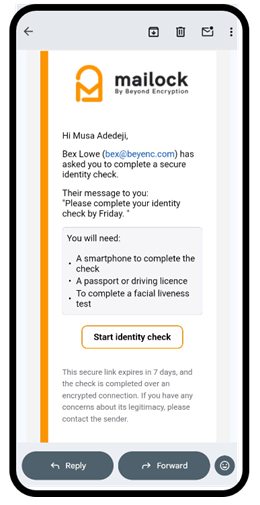
Open the email from your sender on your Android phone and click 'Start Identity check':
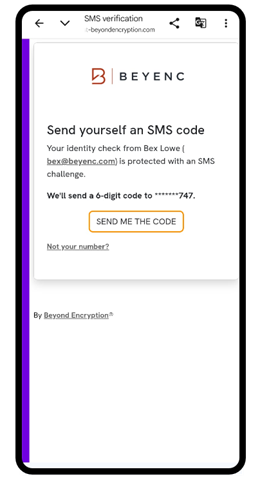
To confirm it's you, we'll send a code to your phone. Click 'Send Me The Code':
Open the text message, then go back to your browser. Enter the code and click 'Unlock Identity Check':
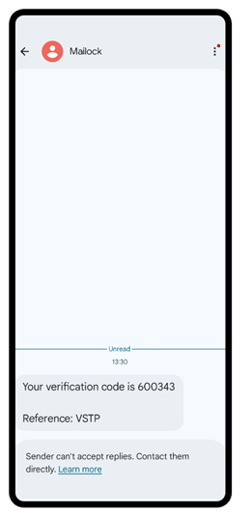
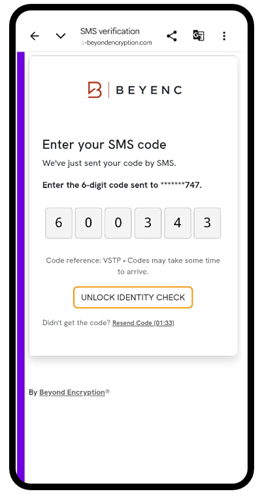
On many Android phones, the code appears above your keyboard as a suggestion. Tap it to fill the code in for you.
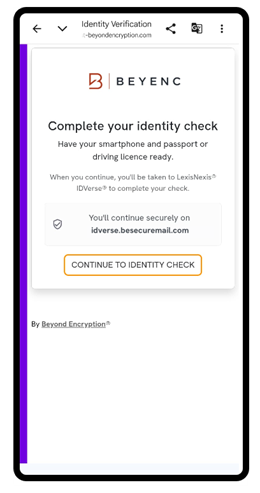
Your check is completed securely with LexisNexis® IDVerse®, so you’ll be taken to their site for the next steps. Make sure you have your identity document to hand, then tap ‘Continue To Identity Check’:
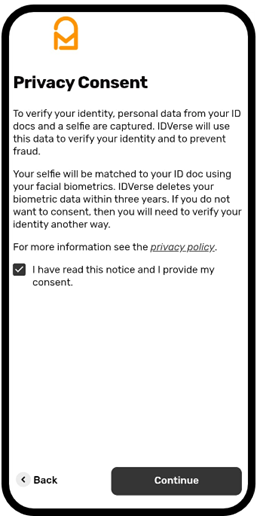
Read the privacy notice. If you're happy to continue, tick the consent box and tap 'Continue':
Tap 'Capture my ID' and follow the on-screen instructions to photograph your documentation.
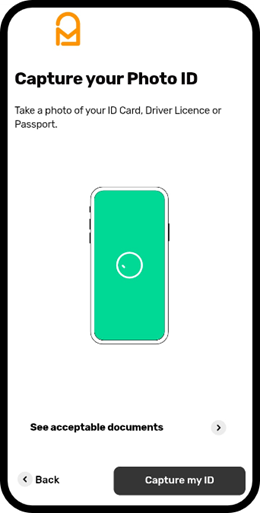
Your phone will ask for permission to use the camera. Tap 'Allow' so you can photograph your document and take your selfie.
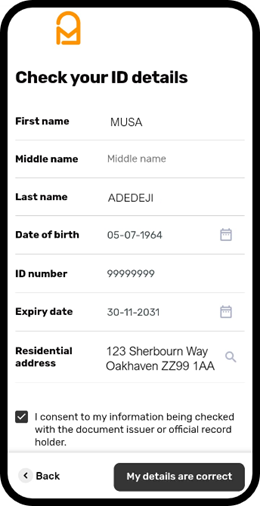
Check the details taken from your document. You can update the dates and address if they’re missing or incorrect. When you're ready, tick the consent box, and tap 'My details are correct':
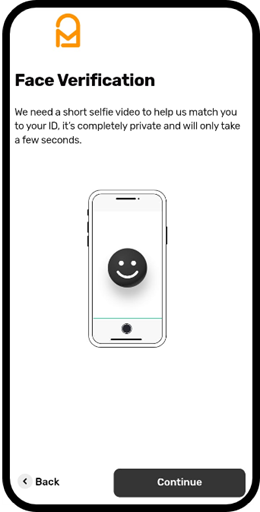
Tap 'Continue' and follow the on-screen instructions to record a short selfie video. This matches your face to the photo on your document:
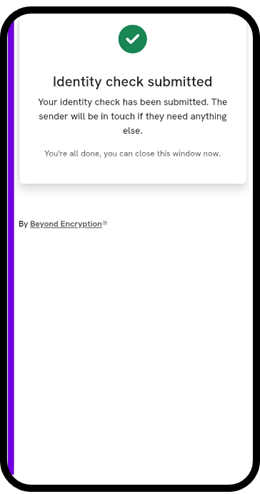
When you see 'Verification complete', your identity check is done. There's nothing more you need to do:
What happens next
Your results are sent securely to the company that requested the check. They'll review them and contact you if they need anything else.
You won't receive a copy of the results from Mailock. If you have questions about the outcome, get in touch with the company who sent you the check.