
When you send an identity check request, your client receives an email asking them to complete the check. Knowing what they'll see means you can guide them if they need help.
Your client will need their mobile phone and their identity documentation, a valid passport, driving licence, identity card or residence permit. The link in their email expires after 7 days.
Set up the check
Choose an ID, KYC, or AML check and complete the ‘Identity Check form’:
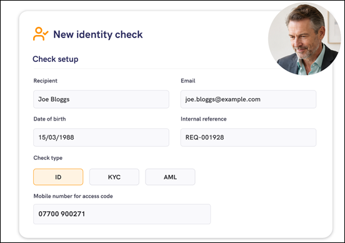
Send the check
Send the request from the Mailock web app:
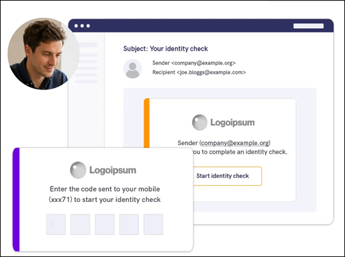
The client completes it
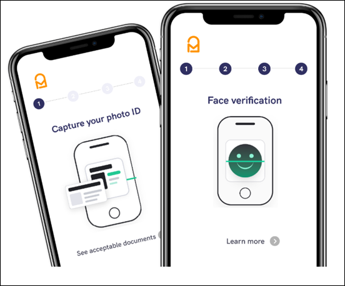
Your client opens a secure email, enters a code sent to their phone by SMS, then photographs a supported identity document and takes a live selfie. There is no account to create or app to install.
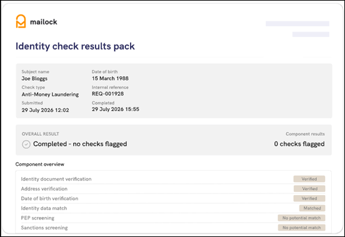
Review the results
The comprehensive results pack and copies of any identity documents are returned to you by secure email to review.
If you want to know more about how you client completes their identity check, click here.
If you client is having issues head to our FAQs.