Features > Reply
Secure replies
Empower recipients to reply with confidence
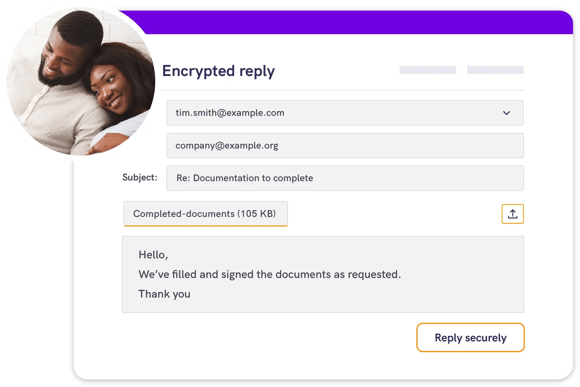
Mailock’s secure reply feature gives your customers a simple, safe way to respond - with encryption applied throughout the conversation.
All messages and attachments are encrypted with AES-256 (message-level) to protect privacy and support compliance.
Flexible access
Recipients can reply securely to any message in the Mailock® web app - just hit 'reply'.
They can also use our free Outlook add-in for Windows to send and reply securely from their desktop.
Ease of use
Recipients can reply securely without a Mailock account - no hassle, no delays.
With a free Mailock account, it’s easy to reply - and to send secure emails to protect sensitive data.

Plans & pricing
Compare plans
Explore our pricing plans to find the right solution for your secure customer communications.

How to Collect Client Documents Securely: Fact Finds, Payslips, and Statements
Ask clients for fact finds, payslips, statements, and personal details in a way they can answer securely, with a reply that comes back protected.
Sending Suitability Reports and Review Packs Securely, and Evidencing Delivery
Send suitability reports and review packs securely, understand what access records show, and plan client follow-up, replies, and document retention.

Business Email Security: What Is An Impersonation Attack?
Learn what an impersonation attack is, how it works in business email security, and the practical steps your team can take to reduce risk.