
Is Password-Protecting a Document Secure?
 Sabrina McClune


You open your email and see an urgent message titled 'Account Update Required'.
It claims to be from your bank, but something feels off...
Many people use password protection when they need to share a sensitive document. The harder question is whether that protection is strong enough when the information really matters.
In most cases, the answer is no - password protection is not secure enough against people with malicious intent.
Password protection can be handy for keeping casual snoopers at bay or adding a simple layer of security for documents that aren't super sensitive, but it isn't as 'protected' as you might think.
What Is a Password-Protected Document?
A password-protected document is a file with restricted access.
For instance, imagine you’re a business owner sending a confidential contract to a partner.
You use a password to make sure only they can view it, asking them to input a specific combination of characters to access the file.
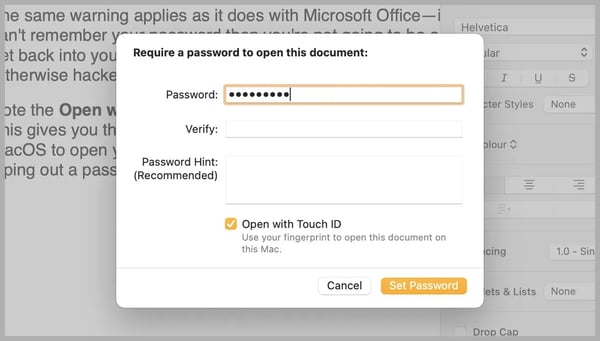
Password Protection on a Mac, Wired, 2024
You can password-protect many types of files, including Microsoft Word or Google Docs, PDFs, spreadsheets, and presentations.
This feature is commonly used in scenarios where sensitive or proprietary information needs to be shared 'securely' (or so users assume).
The security you get from a password depends on the software and the strength of the password - its length and complexity.
Password protection, as a mechanism, can offer weak security even with a strong password.
"Relying on password-protected documents alone is akin to installing a simple padlock on a gate in a high-security area.
While it may deter casual passers-by, it does little to stop determined intruders who can easily exploit weaknesses, such as poor password management or outdated encryption methods.
Businesses need to think beyond this to truly protect sensitive data."
Mike Wakefield, CTO, Beyond Encryption (Mailock)
In regulated sectors, reliance on password protection alone has contributed to serious data breaches when files were shared without stronger access controls.
How Much Is Password Protection Used?
According to Adobe, 63% of businesses use password-protected documents to send information outside and inside their organisations.
This widespread use is because it's so easy to use, budget-friendly, and gives the impression of adding a quick security boost to shared documents.
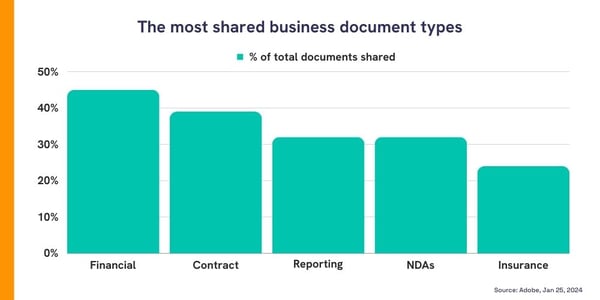
Some of the most shared business document types include:
- Financial documents
- Contracts
- Reports
- Non-disclosure agreements
- Insurance documents
Why Is Password Protection Not Secure?
When you protect documents with a password, the contents are encrypted (with different levels of protection depending on the software being used).
The theory is that only those with the right password can open the file.
Most often though, it’s like putting a lock on a 5-foot fence.
Most encryption used in these cases stops casual access.
But it doesn’t do much against determined attackers like hackers, who use sophisticated tools to breach files, or malicious insiders, who might already have access to sensitive systems or information.
Here’s a quick summary of the core problems with password-protected documents:
- They provide only partial security, as sharing passwords can lead to vulnerabilities.
- Encryption methods used in some document formats are often weak and outdated.
- The level of protection depends entirely on the strength of the chosen password.
- Software exploits can allow hackers to bypass password protections.
- They lack two-factor authentication, leaving them more exposed to breaches.
Let’s explore these issues in more detail:
Offers Partial Security
To share a password-protected file, you must also share the password with the recipient.
Most of the time, you’ll send a separate email with that password.
If the recipient’s email account is compromised, a third party can grab the password and unlock the document.
Encryption Is Often Weak
Many document formats that allow password protection use weak encryption methods.
Older versions of Microsoft Office, for instance, can be cracked easily with the right tools.
Free tools that target these older formats are easy to find, which shows the risks of relying on outdated systems.
"Using outdated encryption methods is like trusting a rusty lock to protect a treasure chest.
It’s simply not enough in today’s threat landscape."
Adam Byford, COO, Beyond Encryption (Mailock)
Password Strength Dependent
The security of a password-protected file depends on the strength of the password.
That’s why many companies are moving away from passwords.
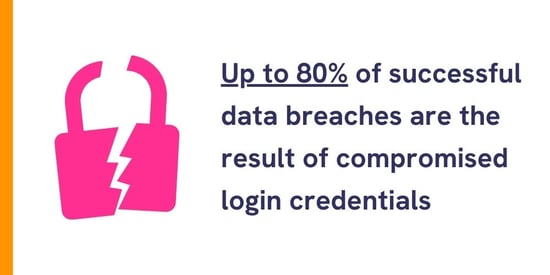
Verizon's 2022 Data Breach Investigations Report found that over 80% of breaches in basic web application attacks could be attributed to stolen credentials. In the 2026 edition, credential abuse was still how attackers first got in for 13% of breaches.
Many people pick weak or easy passwords, which can be brute-forced and broken in seconds.
Known Software Exploits
The software used to create and open password-protected files can have known weaknesses.
Hackers can bypass password protection by using these exploits.
Adobe regularly publishes security updates for Acrobat and Reader, so running an outdated version can leave known flaws unpatched and sensitive data at risk.
Lacks Two-Factor Authentication
Unlike stronger document security methods, password protection doesn’t support two-factor authentication.
It relies on the password only.
Two-factor authentication (2FA) asks for a password plus a second factor, like a code sent to a phone or a fingerprint scan.
The Potential Risks of Sharing Password-Protected Documents
Weak security can leave your password-protected files open to various digital threats.
Data Interception
Data interception happens when someone unauthorised snatches data in transit or on email servers.
Hackers can do this by breaking into servers, using flaws in email protocols, or scanning unsecured networks.
Once they get hold of an email with a password-protected file, they can often crack the password using common tools.
Password Recovery Tools
Some online tools can remove or bypass a document’s password, especially if it’s protected by outdated encryption.
Many password-cracking tools are free and easy to find.
Brute Force Attacks
Password-protected documents can fall victim to brute force attacks, where a program tries different passwords until it finds the right one.
In 2023, Hive Systems estimated that hardware on the scale used to train ChatGPT could break an 8-character password of upper and lowercase letters almost instantly, where the password was stored with a weak hashing method.
Social Engineering
Criminals can also trick people into revealing passwords.
This is called social engineering.
They may use phishing emails that look like they’re from a trusted source, so users hand over private information by mistake.
Other Issues with Password-Protecting Documents
Security isn’t the only drawback to password-protecting your files.
There are other issues too.
Reduced Efficiency
Many businesses and customers struggle with sending and receiving password-protected files.
It takes extra time to protect a file with a password and then send a separate email with that password.
There can also be compatibility issues when opening the file.
Lack of Recording
In regulated industries, such as financial services, rules like MiFID II require the recording and storage of certain communications.
Where accountability and transparency matter, audit trails help identify and reduce risks such as fraud, mistakes, and transaction errors.
When you share password-protected documents, you don’t get a record of who accesses them.
Risk of Loss
If you forget the password for a protected file, you might be permanently locked out.
This is different from an online account, where you can reset a password.
Most files don’t let you regain access if you lose the password.
Ironically, the same cracking tools attackers use can sometimes recover a forgotten password, which says little about the protection the file offered in the first place.
That doesn’t say much about the security!
How Can You Send Documents Securely?
If you want a different way to send sensitive documents securely, there are a few options.
Traditional Postal Mail
Print, pack, and post are still used for business communications, but both businesses and consumers are moving to digital channels because of:
- Rising Expenses: In April 2026, the price of a first-class stamp rose to £1.80, three times the 60p it cost in 2012.
- Unreliable Service: Letter delays have affected over 15 million people in a single month in 2023.
- Environmental Impact: Every tonne of post creates around 3 tonnes of CO2e.
- Convenience: Digital channels allow instant communication and remove the need for physical handling, saving time for both sender and recipient.
- Tracking: Many digital platforms provide real-time tracking and delivery confirmation, improving reliability and transparency.
Plus, though a recorded delivery postal service might be a bit more secure than password protection, paper documents that pass through many hands aren’t always safe.
Customer Document Portals
Many companies use web-based portals as central hubs where customers can interact and share files.
These portals let businesses and customers upload and download documents more safely than emailing a password-protected file.
But there are downsides:
- Portals still rely on passwords for account access: If a user’s login is stolen, documents stored there are at risk.
- They often show low engagement: Even in US healthcare, where portals are widely offered, around one in three people did not access an online medical record or patient portal in 2024.
- Some find portals unintuitive, especially older users: They report problems like small text and confusing menus.
Read more about the drawbacks of post and portals.
Secure Email Solutions
Secure email solutions can help to protect sent documents from being intercepted or changed.
They also help make sure information reaches the right people only.
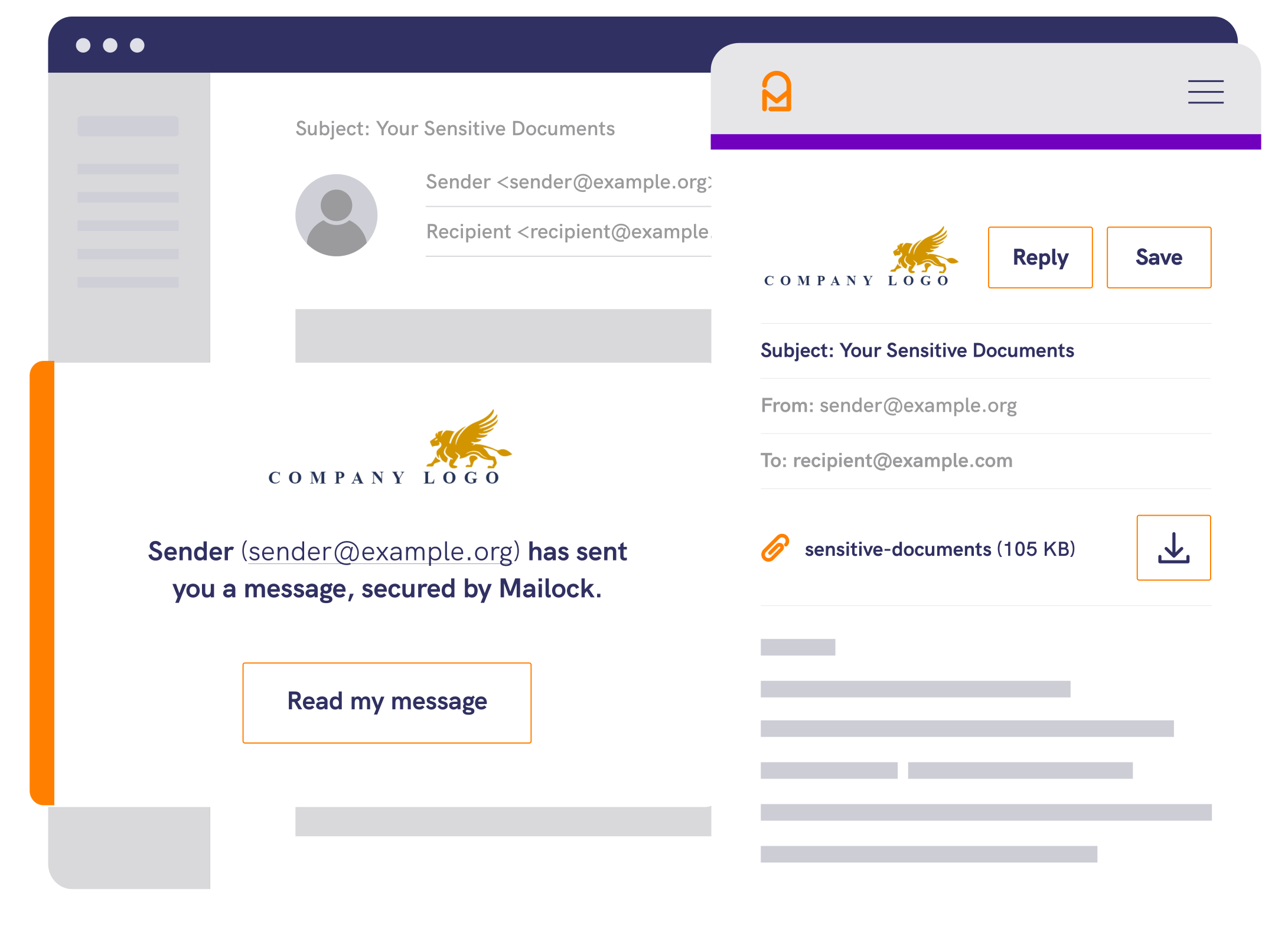
Secure email often comes with features like:
- Advanced encryption for emails and attachments.
- Multi-factor authentication, so recipients have to pass an authentication check.
- Audit trails, to record every time a sender or recipient gains access.
The Advantages of a Secure Email Solution
Compared with sending password-protected files, secure email can help in a few ways, although the details depend on the provider:
Greater Efficiency
Unlike password-protected documents, secure email can deliver all your information in a single message.
There’s no need to send another message with the password to unlock it.
Depending on the provider, it can also work across devices.
A secure email can be sent with a few clicks (depending on the provider).
This saves time and reduces mistakes.
Heightened Engagement
Secure email can boost engagement because most people already check their inboxes every day, especially when the message is relevant and expected.
Two-Way Security
Password-protected files may protect your outbound data, but they don’t do much for return communications.
Many secure email services close this gap by letting recipients reply securely to the emails and attachments you send.
Password Protect: A Lack of Security, a Lack of Usability
Password-protected documents may not meet the security and usability needs that today’s users and businesses expect for sensitive information.
Weak encryption, password reliance, and exposure to brute force or social engineering attacks make them a poor fit for high-risk files.
Handling and sharing these files can slow you down and leave no record of who accessed them, which matters in regulated environments.
Secure email is one alternative that can add protection without a separate password step for the sender and recipient.
With advanced encryption, recipient authentication, and audit trails, firms can protect data while keeping email as the delivery route.
Different security approaches suit different workflows, so it helps to compare options against how your teams actually send and receive sensitive documents.
You can explore various resources to find a secure platform that fits your needs, including our review of the best secure email services.
FAQs
Why Can Password-Protected Documents Still Be Risky?
Protection depends on password strength, software behaviour, and how the password is shared.
What Is Missing from Many Password-Protected Files?
They may lack recipient authentication, access records, two-factor protection, and revoke options.
What Should Be Used for Sensitive Documents?
Use a secure channel that protects the file and the message, verifies the recipient, and gives evidence of access.
References
Why Should Businesses Password Protect Their Documents?, Adobe Blog, 2023
Truth about Passwordless Authentication, OneIdentity, 2024
MiFID II Guidance, European Securities and Markets Authority, 2024
2026 Data Breach Investigations Report, Verizon, 2026
2022 Data Breach Investigations Report, Verizon, 2022
Are Your Passwords in the Green? 2023, Hive Systems, 2023
Security Bulletins and Advisories for Adobe Acrobat and Reader, Adobe, 2026
Royal Mail Stamp Prices to Rise from April, MoneySavingExpert, 2026
Royal Mail Delays Affecting Millions, Citizens Advice, 2023
Individuals’ Access and Use of Patient Portals and Smartphone Health Apps, 2024, ASTP/ONC, 2025
Reviewed by
Sam Kendall, 16.10.26
Sabrina McClune, 12.06.24
Read our editorial policy.
This content is for general information only and is not legal advice.
|
Originally posted on 25 01 24
Sabrina McClune writes about cybersecurity, data protection, digital identity, and digital transformation for Mailock by Beyond Encryption, helping regulated sectors understand complex technology and compliance topics with greater clarity. |
Email Series
Subscribe to

Subscribe to Privacy Decoded, our monthly email briefing about privacy, digital trust, and the forces shaping our online world.
 Previous post
