
Egress vs Mailock: Secure Email Comparison and Review
 Sabrina McClune


Choosing the best email encryption solution for your business is crucial. In this review, we will be comparing Egress and Mailock secure email.
There are many ways to review and compare secure email or email encryption solutions.
Each company will have different priorities in terms of security, user experience, and integration with other tools.
In this review, we compare Egress and Mailock for their secure outbound email capabilities, based on:
- Outbound Email Security: The most important features to consider when you're looking at secure email solutions are encryption strength, data loss prevention prompts, and authentication capabilities.
- User Interface and Experience: Any system you use to communicate with customers must prioritise user experience, avoid unnecessary friction, and keep operations smooth.
- Integrations and Ecosystem: How a solution integrates with your current infrastructure, along with other tools available in its ecosystem, will help you see if it can be deployed easily and for the long term.
- Cost and Customer Support: Cost should never trump security, but it's a factor, and so is the ongoing support you'll receive.
Egress vs. Mailock: Secure Email Comparison and Review at a Glance
In this review, we compare Egress and Mailock based on key features:
Egress Intelligent Email Security
- Outbound Email Security: AES 256-bit email encryption, several recipient authentication options (Egress account, Microsoft or Google sign-in, one-click, biometrics, shared secret, or Q&A), and machine-learning data loss prevention prompts.
- User Interface and Experience: First-time recipients usually create an Egress account to read, unless the sender uses one-click access. Configurable privileges include controls such as 'do not forward' and 'disable download'.
- Integrations and Ecosystem: Integrates with Microsoft Outlook and 365 for desktop functionality, with a wider product suite covering inbound and outbound email security and secure collaboration.
- Cost and Customer Support: Pricing is not published clearly on Egress' main product pages. Organisations should contact Egress for current pricing and support details.
Mailock
- Outbound Email Security: AES 256-bit (message-level) email encryption, flexible recipient authentication (Q&A and SMS) plus Unipass ID sign-in for financial services, and a 'clear box' approach to data loss prevention prompts (security alerts).
- User Interface and Experience: Unregistered recipients can read and reply without signing up; a free account lets them send their own secure messages too.
- Integrations and Ecosystem: Integrates with Microsoft Outlook and 365 for desktop functionality; integrates with Unipass ID single sign-on (SSO) for financial services users; a tri-product ecosystem specialising in secure communications, with Mailock as the flagship.
- Cost and Customer Support: Free and paid plans are available, with volume-based pricing for larger deployments and a dedicated support desk for Mailock secure email.
Overview of Egress and Mailock Solutions
What Is Egress?
Egress, a KnowBe4 company, offers a cloud email security suite that uses patented self-learning technology to detect inbound and outbound threats and prevent data loss.
It is designed to reduce human-activated risk.
Its Prevent and Protect tools make it possible to send encrypted emails from Outlook or M365, preventing email mistakes and misfires.
It also offers some automation capabilities for the delivery of secure email to customers at scale.
What Is Mailock?
Mailock empowers businesses and customers to exchange sensitive information using email with the confidence that it helps ensure only the right people can gain access.
By combining high-strength encryption with the ability to authenticate recipients, organisations can record when a message has been accessed while taking advantage of all the benefits of email.
Mailock works as a web app, Outlook integration, or secure email gateway (cloud or on-premise) and is designed to support high-volume delivery using automation.
Egress Email Security
Egress is a solid tool for encryption and data loss prevention with basic authentication capabilities.
.png?width=600&height=315&name=Egress%20email%20security%20(1).png)
Egress Outbound Email Security
Egress uses AES-256 encryption to protect confidential emails from interception.
You can apply this by individual users, from their Windows Outlook ribbon bar, or by administrators using M365 rules.
Egress offers several email recipient authentication options. Its Protect documentation lists recipient access via an Egress account (Egress ID with SSO support), a pre-shared secret, or a one-time URL for one-click access.
Users can set question-and-answer challenges (the example on their website is "What's your date of birth?") that recipients must answer correctly to gain access.
Egress does not document a sender-selected SMS challenge for individual messages, so check Egress directly for the current options.
Administrators can require accounts accessing information in their company's workspace to use multi-factor authentication when signing in to an Egress account.
For most Egress delivery options, creating or signing into an Egress account is the route to read, download, or reply.
Egress focuses on human-activated risk through a machine-learning program that analyses email contents and recipients to detect anomalies that could present a threat.
It then prompts users to send an email securely if it contains confidential information.
This 'black-box' approach is similar to how your email provider (for example, M365) detects suspicious activity and works out of the box.
Of course, this approach places weight on the system's judgement about whether an email needs to be secured.
Administrators have no way of knowing what and how the machine is learning, which might make it difficult to relinquish control over data protection behaviour.
If an email is sent unsecured when it should have been secured, users and administrators can revoke it using their audit log.
This is unilateral and works regardless of a recipient's infrastructure.
Audit logs also show send and access timestamps for each securely sent email.
Egress User Interface and Experience
Egress offers configurable access privileges (for example, 'do not forward', 'do not print', and 'disable download'), which M365 users might recognise.
As with M365's email access privilege settings, users and administrators can configure access for recipients of secure emails.
For organisations with complex security policies that require it, this feature could check the right box.
However, most people know there are relatively easy ways to bypass these controls.
They should be seen more as a lightweight barrier than a complete prevention measure.
Recipients of an Egress secure email usually create an Egress account to read it and download attachments, unless the sender chooses one-click access or a pre-shared secret.
If a question-and-answer challenge has been set, recipients need to pass that challenge after they sign into their account before they can access the secure email.
This requirement to create an Egress account might be frustrating for people who prefer easy access to important information. Still, it comes with benefits.
Egress' current recipient guidance confirms that recipients can read and reply to secure emails for free after account setup. Check Egress directly for current free-account sending allowances.
This could help them keep the information you send protected if they need to share it.
Looking at Trustpilot, it's clear there have been some frustrations with Egress' user experience.
Although the interface has improved, the restriction on end recipients to create an account may be too much of a barrier.
Another potential issue is the possibility that notification emails are sometimes filtered to Junk or Spam folders.
As Egress grows in usage, email filters may learn to trust this format when sent with Egress security.
Egress Integrations and Ecosystem
Egress integrates with Microsoft 365 and offers a Windows Outlook add-in for desktops.
This is straightforward to deploy, though the configurable access privileges may confuse some users, so a training session is helpful.
The Outlook add-in functionality includes:
- Secure compose option
- Auto-decrypt for secure emails
- Audit trails and revoke function
- 'Before-you-send' warnings
- Access privilege config
- Settings
SSO availability varies across the Egress product suite and deployment context, so buyers should check the current setup requirements for their specific use case.
In terms of its ecosystem, Egress has been part of KnowBe4 since 2024, and its email security products now sit within KnowBe4’s cloud email security range alongside security awareness training.
Secure email is one of many offerings, ranging from inbound to outbound protection.
The ability to integrate seamlessly with its secure workspace, form, and phishing products is a strong reason to consider Egress.
However, because secure email is not the organisation's main focus, feature requests might be addressed less frequently.
Egress Cost and Customer Support
Egress does not clearly publish standard UK pricing on its main product pages.
You can contact the team for current pricing and deployment details.
Egress has a combined support desk for its product suite, receiving enquiries from across the globe.
Its customer review score on Trustpilot is 3.9 out of 5 stars, based on 226 reviews checked on 3 June 2026.
It's not entirely clear how much of this is due to users' experience of Egress' products versus its service.
"We are an Egress Partner (Reseller).
If our experience is bad, I hate to think what it is like for an end user.
I can never get hold of anyone over the phone."
Jason, Egress Partner (Trustpilot)
Mailock Secure Email
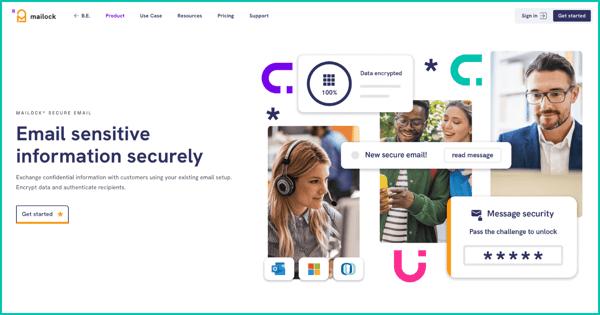
Mailock suits organisations that need to send confidential information securely to the right recipients without unnecessary friction.
Mailock Outbound Email Security
Mailock uses message-level AES-256 encryption to protect confidential emails from interception.
Users can secure individual emails sent from the Windows Outlook client, and administrators can use keywords and M365 rules to apply outbound security across the company.
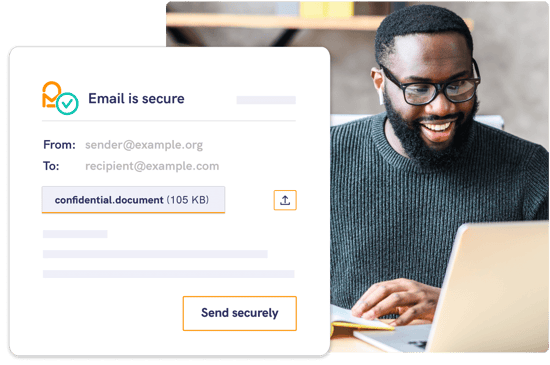
To help ensure sensitive information reaches the right person, Mailock offers multiple ways to authenticate recipients, including:
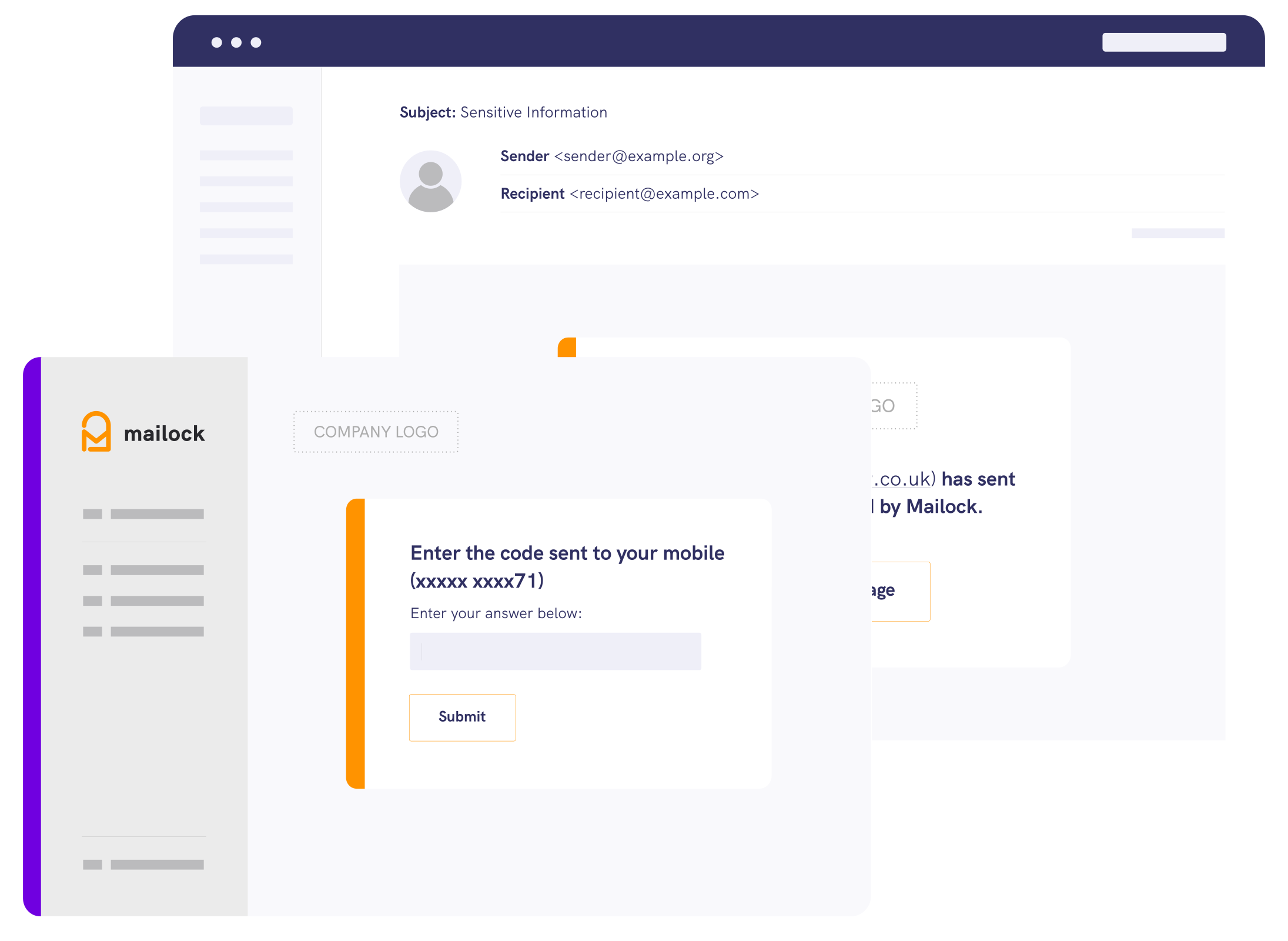
- SMS: Send a one-time code to your recipient's mobile device.
- Q&A: Ask a question only they could answer correctly.
- Unipass ID: Let financial professionals sign in with their Unipass ID, the identity they already use across financial services.
SMS and Q&A challenges can be applied by users or administrators.
They offer robust protection that helps ensure sensitive misdirected emails remain encrypted, even if an unauthorised party gains access to a recipient's inbox.
Mailock provides default sets of keywords that trigger emails to be encrypted or prompt 'before you send' warnings.
Administrators can edit these default sets to customise Mailock to their information security policy and set further rules using M365.
This transparent, or 'clear box', data loss prevention (DLP) approach gives organisations direct control over how secure email is initiated.
Administrators should review keyword sets regularly to keep them up to date.
For misfired emails, Mailock provides the ability to audit and revoke secure emails at both the user and administrator levels.
Like Egress, Mailock's revoke function is sender-controlled and does not depend on the recipient's infrastructure.
Mailock User Interface and Experience
A key reason businesses choose Mailock is that recipients can read secure emails and download any attachments without registering for an account.
If an authentication challenge has been set, the recipient will need to complete it.
After that, they can read their message and download attachments as if it were a normal email.
Recipients can reply securely without creating a Mailock account.
If they want to start their own secure conversation with someone else, a free account gives them 5 free secure emails each month (note that one email with multiple people cc'd uses one credit).
Mailock prioritises a smooth user experience over complex tiered access privileges.
Once recipients have access, they have full access, just like a normal email.
Attachments arrive in their original format, and Mailock is already used widely in the financial sector, so its secure emails bypass junk and 'suspicious email' filters.
Mailock Integrations and Ecosystem
Mailock integrates with Microsoft 365 and offers a desktop Outlook add-in for user controls.
It's easy to deploy, and most desktop users can navigate its options without trouble.
The Outlook add-in functionality includes:
- Secure compose option
- Auto-decrypt for secure emails
- Audit trails and revoke
- 'Before-you-send' warnings
- Access to settings
If you're an organisation that deals with financial services professionals, you'll be happy to know there's an integration with Unipass ID.
This makes it easy for financial services advisers (for example, investment advisers) to sign in with the identity they already use across financial services.
-1%20(1).png?width=400&height=275&name=Unipass%20Mailock%20Hero%20Images%20(6)-1%20(1).png)
Mailock is the flagship product in a tri-product ecosystem from Beyond Encryption, which includes authentication and smart admin solutions.
At Beyond Encryption, we have built a reputation for making secure customer communications straightforward.
If you're a customer-facing organisation, the ability to integrate seamlessly with our other engagement tools could benefit you if you choose Mailock.
Mailock Cost and Customer Support
Mailock has a free account and paid plans, with volume-based pricing available for larger deployments.
Check the current pricing page for the latest plan details.
"Your representative was very friendly and helpful.
She was willing to do that bit extra to make sure my issue was resolved."
Sasha, Financial Adviser
Beyond Encryption has a dedicated Mailock support desk based in Hampshire, U.K. Capterra lists Mailock at 4.7 out of 5, based on 63 reviews checked on 3 June 2026.
Egress vs. Mailock
Every organisation has different requirements when picking a secure email solution.
Egress offers account-based access, a pre-shared secret, or a one-click link, and recipients usually sign in to an Egress account.
It takes a 'black box' approach to DLP and has a combined product support desk.
Mailock offers Q&A and SMS authentication, plus Unipass ID sign-in for financial services, and is straightforward for senders and recipients.
It takes a 'clear box' approach to DLP and has a dedicated U.K. support desk.
FAQs
Why Should My Business Use Secure Email?
Secure email helps protect sensitive data and prevents accidental data loss.
It also helps you meet regulatory requirements.
Which Is Better, Egress or Mailock?
It depends on your needs.
Egress offers a broader product suite, while Mailock focuses on making secure email simple for both senders and recipients.
Is It Hard for Recipients to Access Encrypted Emails?
Mailock lets recipients read and reply to encrypted emails without creating an account, which can simplify processes.
Egress recipients usually register for an Egress account, unless the sender uses one-click access.
Compare Mailock with other secure email providers
References
Egress reviews on Trustpilot, Trustpilot, checked 3 June 2026
Mailock reviews on Capterra, Capterra, checked 3 June 2026
Reviewed by
Sam Kendall, 03.06.26
This content is for general information only and is not legal advice.
|
Originally posted on 13 01 23
Sabrina McClune writes about cybersecurity, data protection, digital identity, and digital transformation for Mailock by Beyond Encryption, helping regulated sectors understand complex technology and compliance topics with greater clarity. |
Email Series
Subscribe to
.svg)
Subscribe to Privacy Decoded, our monthly email briefing about privacy, digital trust, and the forces shaping our online world.
 Previous post