
Zivver vs Mailock: Secure Email Solutions Compared
 Sabrina McClune


Zivver and Mailock both help organisations send sensitive information by email without asking recipients to create an account. Zivver, now part of Kiteworks, pairs secure email with large file transfer, error prevention and eSignatures. Mailock is a specialist secure email service built around the recipient's access check, secure replies and sender controls.
This review compares the two on encryption, recipient access, replies, controls after sending, integrations and pricing.
Zivver is worth a close look if you send very large files or want machine-learning warnings about unusual recipients.
Mailock is worth comparing where you want sender-chosen access checks, secure replies, Unipass ID sign-in for financial services, and identity checks sent by secure email.
Sources checked: 19 November 2026. Zivver features vary by licence. Mailock features vary by plan and deployment. Confirm current details with each supplier before you choose.
Comparison: We make Mailock, one of the products compared here, so we are not neutral. Details of other products come from their own published information and may have changed since this article was last reviewed. How we write comparisons.
Zivver and Mailock at a Glance
Both products let recipients read and reply without an account, and both let senders withdraw access after sending. They differ in file sizes, error prevention and what sits around the core secure email service.
| Decision area | Zivver | Mailock |
|---|---|---|
| Core role | Secure email, large file transfer, error prevention and eSignatures, from a Kiteworks company | Secure email built around a sender-chosen access check and protected replies |
| Encryption | AES encryption, with the AES key encrypted using RSA 2048 | Message-level AES-256 encryption, in transit and at rest |
| Recipient access | A Zivver account, an SMS code, an access code shared by the sender, or a verification email | Email code, security question or SMS code, chosen per message, plus Unipass ID sign‑in for financial services |
| Replies | Guests can reply securely and attach files of up to 5TB without an account | Recipients reply without an account; a free account lets them start their own secure emails |
| After sending | Revoke access for recipients or everyone, with optional revocation periods; proof of delivery on Ultimate | Message Revoke closes future access; Message Tracker shows when content was accessed |
| Sending routes | Browser and mobile app on every plan; Outlook and Gmail from Professional; an SMTP encryption gateway | Web app and Outlook add‑in; Secure Email Gateway and automated delivery on Enterprise |
| Identity checks | Not described in the Zivver material we reviewed | ID, KYC, and AML checks sent by secure email, on Pro and Enterprise (charged per completed check) |
| Pricing | Per-user prices published, billed annually, with a saving on three-year terms | Free plan plus paid plans; current prices are on the pricing page |
What Zivver Offers
Zivver is based in Amsterdam. In June 2025 it announced that it had been acquired by Kiteworks, and its website now presents it as "Zivver a Kiteworks Company". Zivver says the move expands its sovereign data options, including on-premises and private cloud deployment.
Zivver's published material gives it several genuine strengths. According to Zivver:
- messages are encrypted with AES, and the AES key is then encrypted with RSA 2048;
- recipients complete two-factor verification by Zivver account, SMS code, an access code the sender shares, or a verification email, which Zivver itself calls the least secure option;
- guests can read, reply and send files of up to 5TB without creating an account;
- senders can revoke access for all recipients, including those in CC and BCC, or set a revocation period;
- business rules and machine learning warn senders about possible mistakes, such as an unusual recipient;
- an encryption gateway lets mail servers and other applications send secure messages through Zivver.
Zivver also offers eSignatures, and its pricing page sets out Start, Professional and Ultimate plans. Outlook and Gmail integration arrive on Professional, while Ultimate adds proof of delivery, single sign-on, branding of the recipient portal and the option for external users to start secure conversations.
What the Kiteworks Acquisition Means for Zivver Customers
Since joining Kiteworks, Zivver is still sold under its own name, with its own plans, help centre and security statement. The acquisition is not, on its own, a reason to move, but it is a good moment to check that Zivver still fits.
Kiteworks also sells its own secure email products, including Secure Email and an Email Protection Gateway. Before your renewal, it is worth asking Zivver:
- whether the Zivver product and name will continue, and what is planned for the features you use;
- where your data will be stored: Zivver's security statement says user data is held in AWS data centres in the EU (eu-west-1);
- whether your plan, price or contract terms will change, and whether a move to Kiteworks products is expected;
- who will provide support, and in which languages and hours.
How Mailock Works
Zivver and Mailock overlap more than most pairs, so the detail matters. Mailock protects each message with message-level AES-256 encryption and lets the sender pick the access check message by message. Alongside an email code and an SMS code, the sender can set a security question only the right recipient should be able to answer.
The recipient replies inside Mailock without an account. The sender sees in Message Tracker when content has been accessed and can use Message Revoke to close future access, and Unipass ID sign-in is available for financial services recipients. Mailock works from the web app and the Mailock Add-in for Outlook, with security alerts on trigger words.
Mailock's security alerts are keyword-based rather than machine-learning-based, and attachments travel with the protected message within normal email size limits. Organisations that regularly send very large files may find Zivver a better fit.
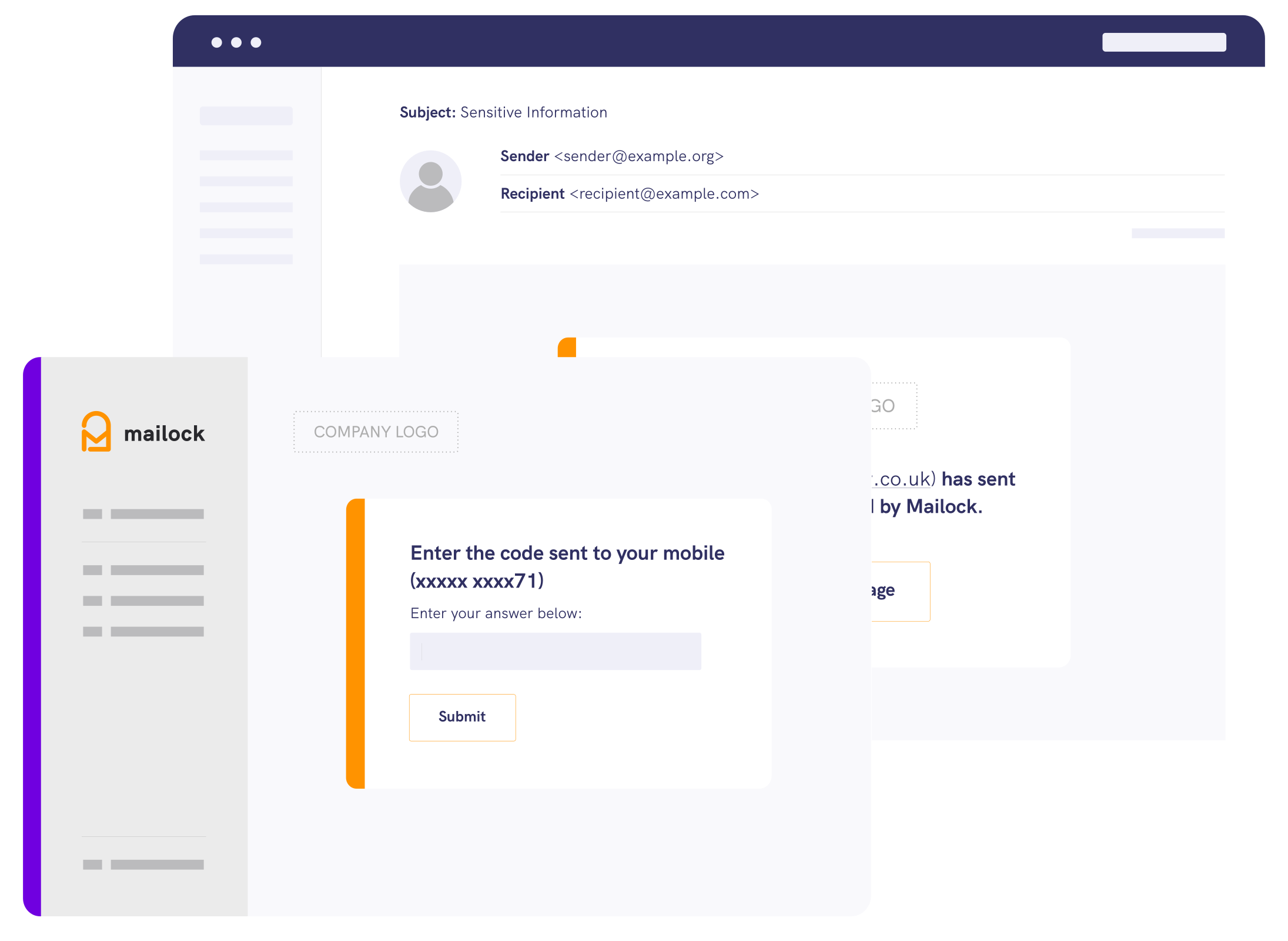
A Mailock recipient after the access check: no account, and a protected reply route.
Recipient Experience: Opening and Replying
Both products are easy to trial, so try the same scenario in each: a sample document to a test address, opened with each access method and answered with an attachment. Use real email providers your clients use, never real client data.
The two journeys are closer than older comparisons suggest. Both products let a recipient open a message with an SMS code or a code sent by email, and both let them reply without an account. Zivver adds an access code the sender shares by another route; Mailock adds a security question only the right recipient should be able to answer.
An email code goes to the same inbox as the message, so in either product it adds little protection if the address is wrong. Choose the method for each message with that in mind.
Zivver's verification methods and Mailock's access checks control who can open a message, but neither confirms who someone is. A Mailock sender can also send an identity check by secure email: the client verifies with a supported photo ID and a live selfie, and the results pack returns the same way.
Mailock identity checks are available on Pro and Enterprise and charged per completed check; see identity check pricing.
When Zivver May Be the Better Fit
Zivver may suit you better if you send very large files, want machine-learning warnings about unusual recipients, or need secure email from Gmail as well as Outlook.
It may also fit if eSignatures, data sovereignty or on-premises deployment are part of your requirement, or if you want to buy secure email within the wider Kiteworks platform.
When Mailock May Fit
Mailock may suit you better if you want the sender to choose an access check for each message, including a security question, and to see when protected content has been accessed.
It may also suit firms that want ID, KYC, or AML checks in the same journey as their secure email, and advice firms whose clients already sign in with Unipass ID.
Mailock has its own trade-offs. Its tracking records when content was accessed, not what a recipient did next, and revoking access does not recall a file already saved. Mailock's secure email works from the web app and Outlook, so teams that send from Gmail should check the current options with us first.
Questions to Ask Before You Choose
- Do you send very large files often enough for that to decide it?
- Do you want each sender to choose how recipients get in, or a policy to decide?
- Do recipients need to start secure conversations with you, or only reply?
- Which email clients do your senders use?
- Do you also need eSignatures or identity checks, and from which supplier?
FAQs
Is Zivver Part of Kiteworks?
Yes. Zivver announced in June 2025 that it had been acquired by Kiteworks, and it now presents itself as a Kiteworks company. The product is still sold under the Zivver name.
Does the Kiteworks Acquisition Change Where Zivver Stores Data?
Zivver's security statement says user data is held in AWS data centres in the European Union. Ask Zivver to confirm in writing whether that applies to your contract after renewal.
Do Zivver and Mailock Recipients Need an Account?
No, not to read or reply. Zivver guests can open and reply to messages without an account. Mailock recipients can too; starting a new secure email of their own is what needs a free account.
Do Zivver or Mailock Offer Identity Checks?
Mailock does, as a separate request sent by secure email, available on Pro and Enterprise. In the Zivver material we reviewed, recipient verification controls access to a message, and identity checks are not described.
Do These Solutions Make a Firm Compliant?
Neither product makes a firm compliant on its own. Both can help firms protect personal data sent by email, which supports their wider obligations. Check the regulator's current rules and guidance for what applies to your firm.
Compare Mailock with other secure email providers
References
Security Statement, Zivver, checked 19 November 2026
Recipient verification methods, Zivver Help Center, updated 18 June 2026, checked 19 November 2026
Guest experience, Zivver, checked 19 November 2026
Revoke access to a secure Zivver message immediately, Zivver Help Center, checked 19 November 2026
Encryption Gateway, Zivver Help Center, checked 19 November 2026
Zivver pricing, Zivver, checked 19 November 2026
Zivver Joins Kiteworks, Zivver, 18 June 2025
Kiteworks, Kiteworks, checked 19 November 2026
Reviewed by
Sam Kendall, 19.11.26
Sabrina McClune, 19.12.2024
Read our editorial policy.
This content is for general information only and is not legal advice. Product features, licensing and service descriptions can change.
|
Originally posted on 12 07 23
Sabrina McClune writes about cybersecurity, data protection, digital identity, and digital transformation for Mailock by Beyond Encryption, helping regulated sectors understand complex technology and compliance topics with greater clarity. |
Email Series
Subscribe to
Subscribe to Privacy Decoded, our monthly email briefing about privacy, digital trust, and the forces shaping our online world.
 Previous post
